 Ride with Pals
The 2027 season at your club: membership fees and kit orders in one place
How to kick off the 2027 season at a cycling, running or triathlon club: renew membership fees and open pre-orders for new jerseys and kit with sizes, online payment and a special member price.
November and December are the busiest months for any club committee. It is time to renew next year's membership fees and, almost at the same time, open the order for the new kit: jerseys, bib shorts, jackets, technical t-shirts. Two different lists, two rounds of payments and a flood of WhatsApp messages asking about sizes and who has already paid.
With Ride with Pals both things happen in the same app, with the same members and the same online payment. This is how to get the 2027 season organised in one afternoon.
What you need before you start
- Club Gold: membership fees and the club shop are Club Gold features. It costs €89 a year with the launch offer, valid for clubs that sign up before 31-12-2026.
- Stripe connected: a free Stripe account for the club. Money from fees and orders goes straight to that account and from there to the club's bank. Ride with Pals never holds the money.
- Your members in the club: if some people do not use the app, from the website, in Members, you can add them by hand or by uploading an Excel or CSV file.
First, the 2027 membership fee
Start with the fee, because the member price for the kit depends on it.
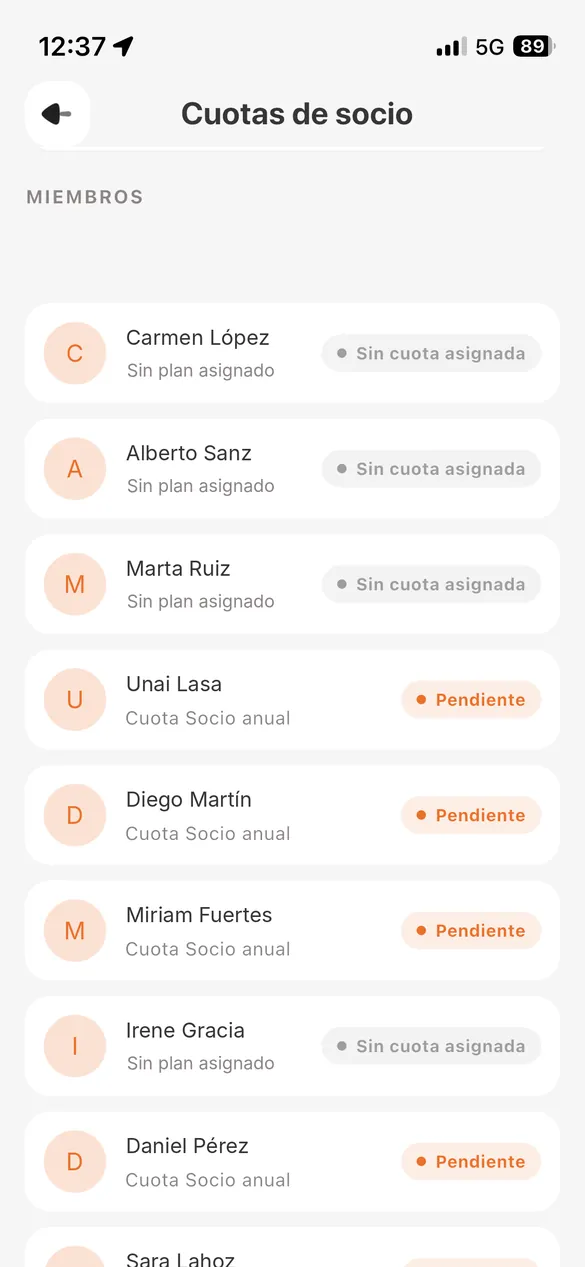
- In club management, under Membership fees, create "2027 fee" with fixed dates from 1 January to 31 December 2027, or starting on the payment date if you prefer each member to have their own year.
- Send the payment request to everyone. Each member gets a notification and an email with a link to pay by card.
- Members who pay by bank transfer or in cash: you record the payment by hand and it shows as Paid, with no fee.
- The app sends a reminder 15 days before the fee expires and always shows you who is Paid, Pending or Not renewed.
You will find the full step by step guide in how to collect your 2027 membership fees.
Then, open the kit order
The club shop is made for exactly this: selling the official kit to members with online payment and sizes.
- Create one item per garment: "2027 jersey", "2027 bib shorts", "Winter jacket". Up to 8 photos per item, with the new design, a close-up of the fabric or the size guide.
- Set the normal price and the special price for members with a paid fee. It is the best way to encourage renewals: whoever has their 2027 fee paid pays less for their jersey.
- Add the sizes and, if needed, the gender, with the units available for each one. If the order with the manufacturer is closed, enter the units you will order. When a size reaches 0 it is crossed out and cannot be bought; when all of them run out, the button changes to "Sold out".
- Choose the delivery: pickup at the club or on a club ride, paid shipping or free shipping.
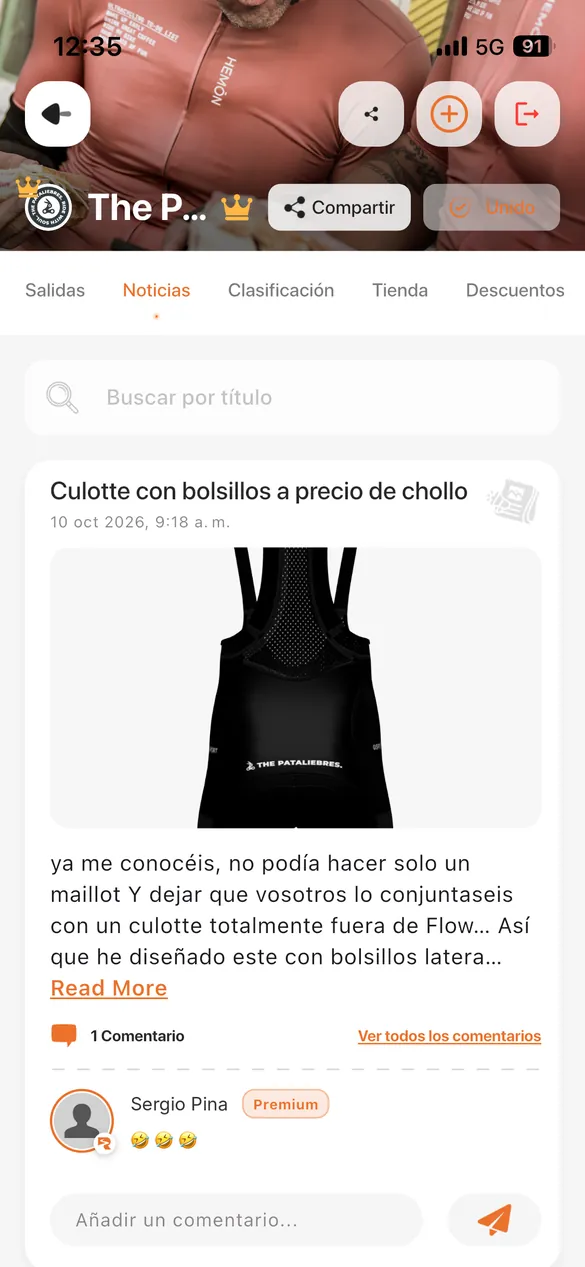
- Publish. Members get a new item notification and, when they tap it, the club shop opens.
Every purchase is paid by card on the spot and the member can leave a comment on the order, for example "name on the back" or "women's size". They get the receipt by email.
If you want to take a deposit
Many clubs ask for a deposit when pre-orders open and the rest on delivery. In the shop you can do this by creating the item as "2027 jersey pre-order" with the deposit amount and explaining in the description how much is left to pay and when. You charge the rest later with a second item or record it by hand on delivery.
If you would rather keep it simple, the easiest option is to charge the full amount when the order is placed: the club gets the money before ordering from the manufacturer and does not have to pay anything up front.
Track orders without spreadsheets
- In the club's Orders tab you see every purchase with its size, the chosen delivery and the comments.
- Each order has a status: in progress, completed or cancelled. When you hand over the kit you tap "Mark as delivered" and the member gets a notification.
- Members see their orders in their Profile, under My purchases.
- If a payment has to be refunded, the club does it from its Stripe account.
Keep the kit for paid-up members only
If the club kit is for members only, in Edit club you can restrict the shop to members with their fee up to date. Anyone who has not renewed will see the shop but cannot buy until they pay the 2027 fee. That way fees and kit go hand in hand and the committee does not have to check anything by hand.
A timeline that works
- Mid November: create the 2027 fee and send it to everyone.
- Late November: open kit pre-orders with the member price and a closing date in the description.
- December: close pre-orders, check the sizes in Orders and place the order with the manufacturer.
- January: hand out the kit on the first ride of the year and mark the orders as delivered.
What it costs the club
Fees and orders paid by card carry a 4 % (VAT included) Ride with Pals fee plus the Stripe fee, of roughly 1.5 % + €0.25 with standard European cards. Example with a €60 jersey: €2.40 for Ride with Pals, about €1.15 for Stripe and the club keeps about €56.45. Fee payments recorded by hand have no fee.
Frequently asked questions
Can I sell the kit to people who are not in the club?
The shop is for club members. If someone wants the kit, they join the club first and then buy.
Can I set one price for members and another for everyone else?
Yes. Each item has its price and a special price for members with a paid fee.
What happens if I run out of a size?
When the units of a size reach 0, it is crossed out and nobody can buy it. If you get more, you increase the units and it becomes available again.
How do I know which sizes to order from the manufacturer?
The Orders tab lists every purchase with its size. When you close pre-orders, you already know how many units of each size you need.
Can I sell other things in the shop?
Yes: club products and event entries, as well as kit.
More details in the complete Ride with Pals guide.